
BurrowScope Pro
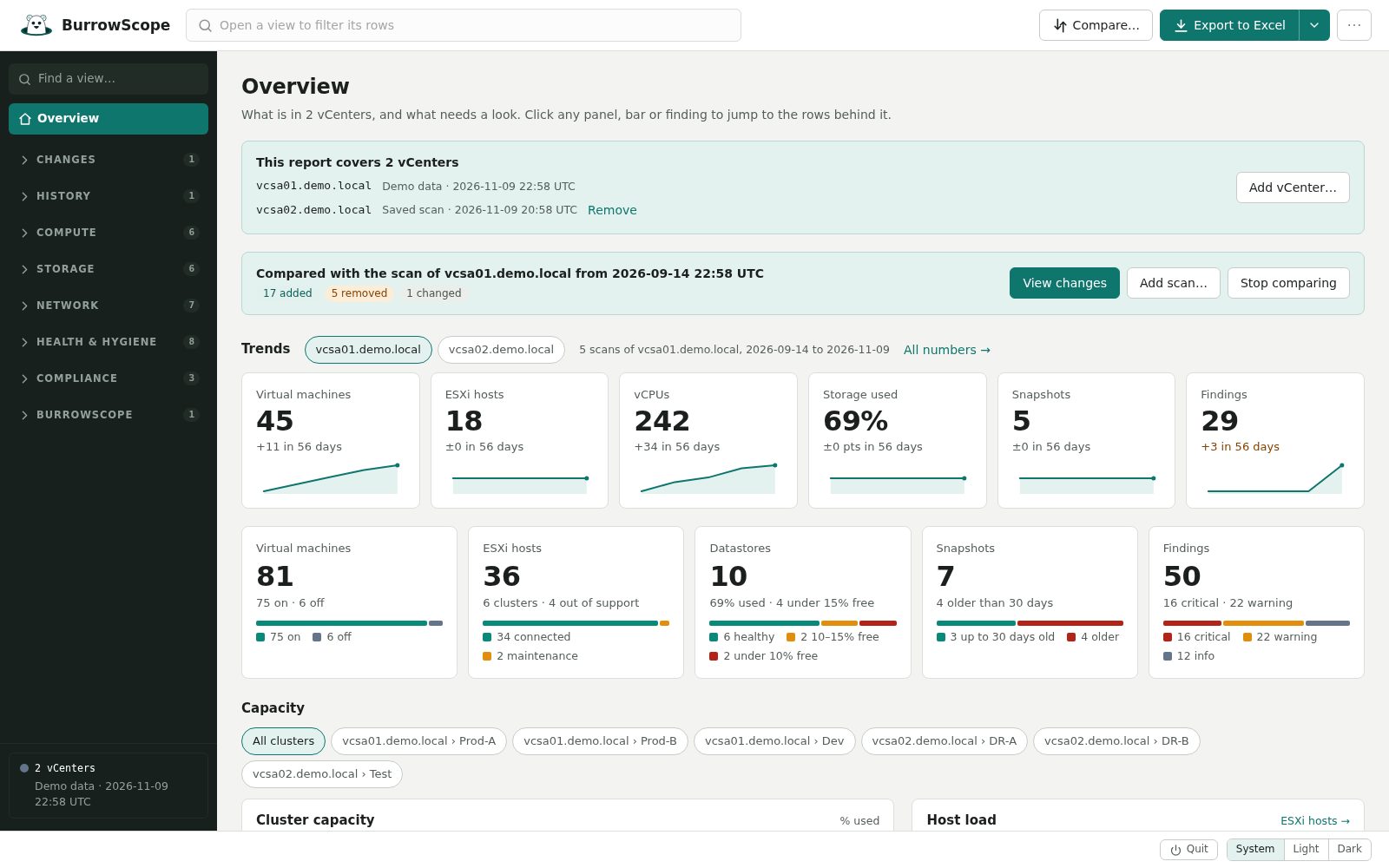
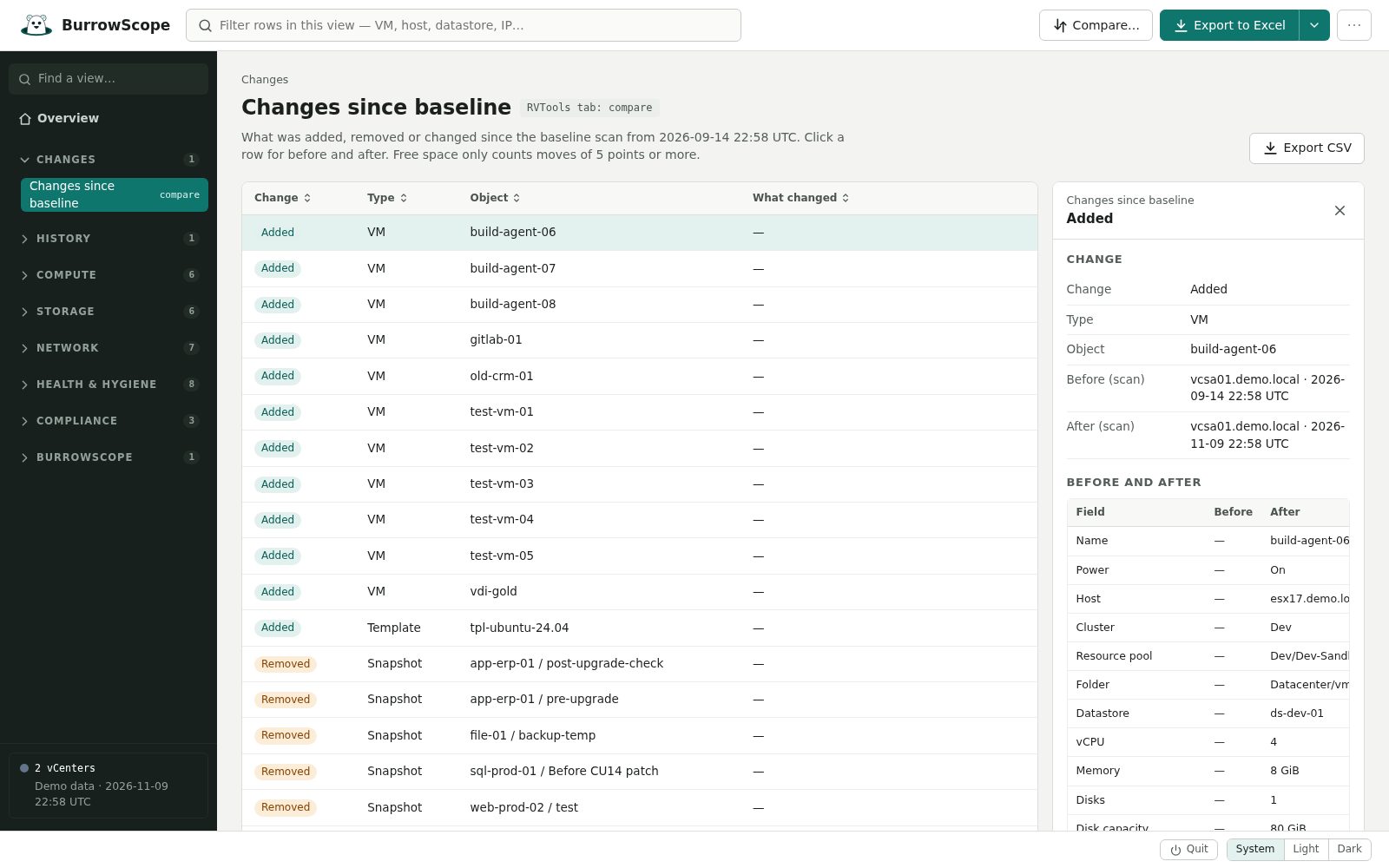
Everything in BurrowScope, plus what you need when the inventory is part of the job: a history of scans, what changed since last time, several vCenters in one report, scans that run on their own, a report for managers, and a server mode for the whole team.
Download the free trial Compare with the free edition
BurrowScope itself stays free. Pro is a separate app with a 14-day free trial; no card needed to try it.
Personal
For you, or a few admins.
$49 per seat, once
- Every Pro feature.
- Yours to keep: it never expires.
- A year of new versions included. Renew for another year whenever you like.
- One seat per admin who uses it.
Organization
For a team of up to 10, on servers and desktops.
$399 per year
- Every Pro feature.
- Up to 10 people, with any number of installs in your organization, including the server and container.
- All new versions while the subscription runs. A new key comes with each renewal.
- 14 days of grace after a renewal date, so a late payment never stops a server.
More than 10 people? Ask for a quote.
Prices in US dollars, before any tax.
Purchases open soon. In the meantime, the 14-day trial has every Pro feature.
Renewing a Personal license? Renew its updates here →
What Pro adds
- Compare scans: what was added, removed or changed, across up to five scans.
- History and trends: every scan kept on your computer, with VM, host, storage and findings trends on the Overview.
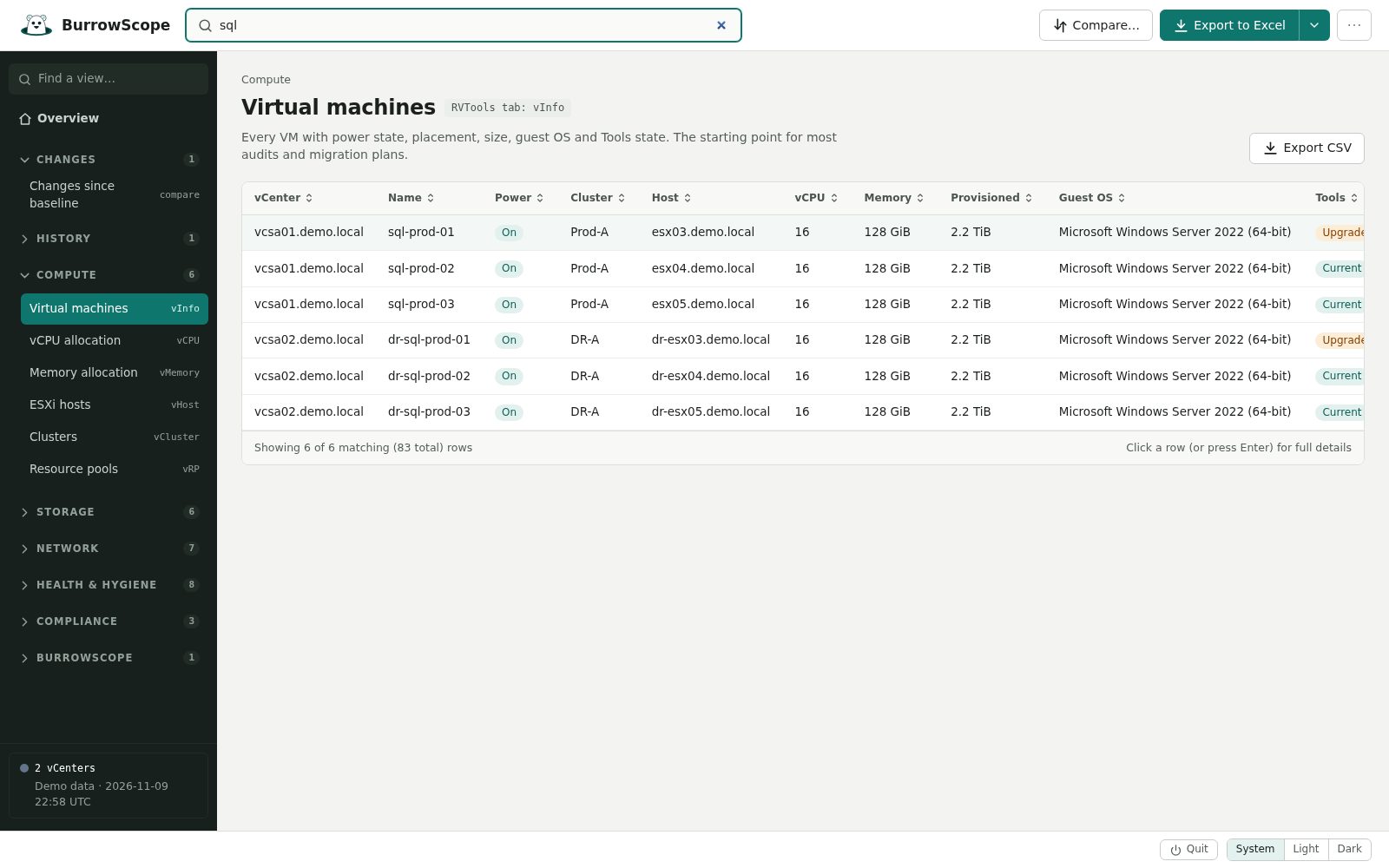
- Several vCenters in one report: up to ten, each view with a vCenter column.
- Scheduled and command-line scans: hourly, daily or weekly, with Excel, CSV and report exports.
- A report for managers and audits: one print-ready file with a summary, findings, capacity and changes.
- A server for the team: HTTPS with sign-in, installed as a Linux or Windows service or run as a locked-down container.
Questions
- How does the license key work?
- After you pay, the key arrives by email within a few minutes. Paste it into BurrowScope Pro (⋯ → License…), or install it on a server with
burrowscope license install. The check happens on your computer: BurrowScope still sends nothing anywhere. - What happens after the trial?
- The Pro features ask for a key. Everything in the free BurrowScope keeps working, and your saved scans and history stay where they are.
- What happens when a Personal license's year of updates ends?
- Nothing stops working. You keep using the versions released during your year; renew to get the newer ones.
- Who handles payment, tax and invoices?
- Our order process is conducted by our online reseller Paddle.com. Paddle.com is the Merchant of Record for all our orders. Paddle provides all customer service inquiries and handles returns.